Hand-picked from 503 saved bookmarks by relevance to your actual work — your Claude Code system, Hermes, growth/onboarding, pricing, AEO. Selected on usefulness, not likes. This is the shortlist worth considering for MyMind.
Ole Lehmann
@itsolelehmann · May 15, 2026
Hermes
Why thisYou run Hermes — so read this as a build list, not inspiration. #6 “Bookmark Inbox → Obsidian” is literally the workflow we just talked about; #1 Daily Brief and #4 Meeting Prep overlap your briefing skill. You can paste the whole post into Hermes and have it scaffold the ones you want.
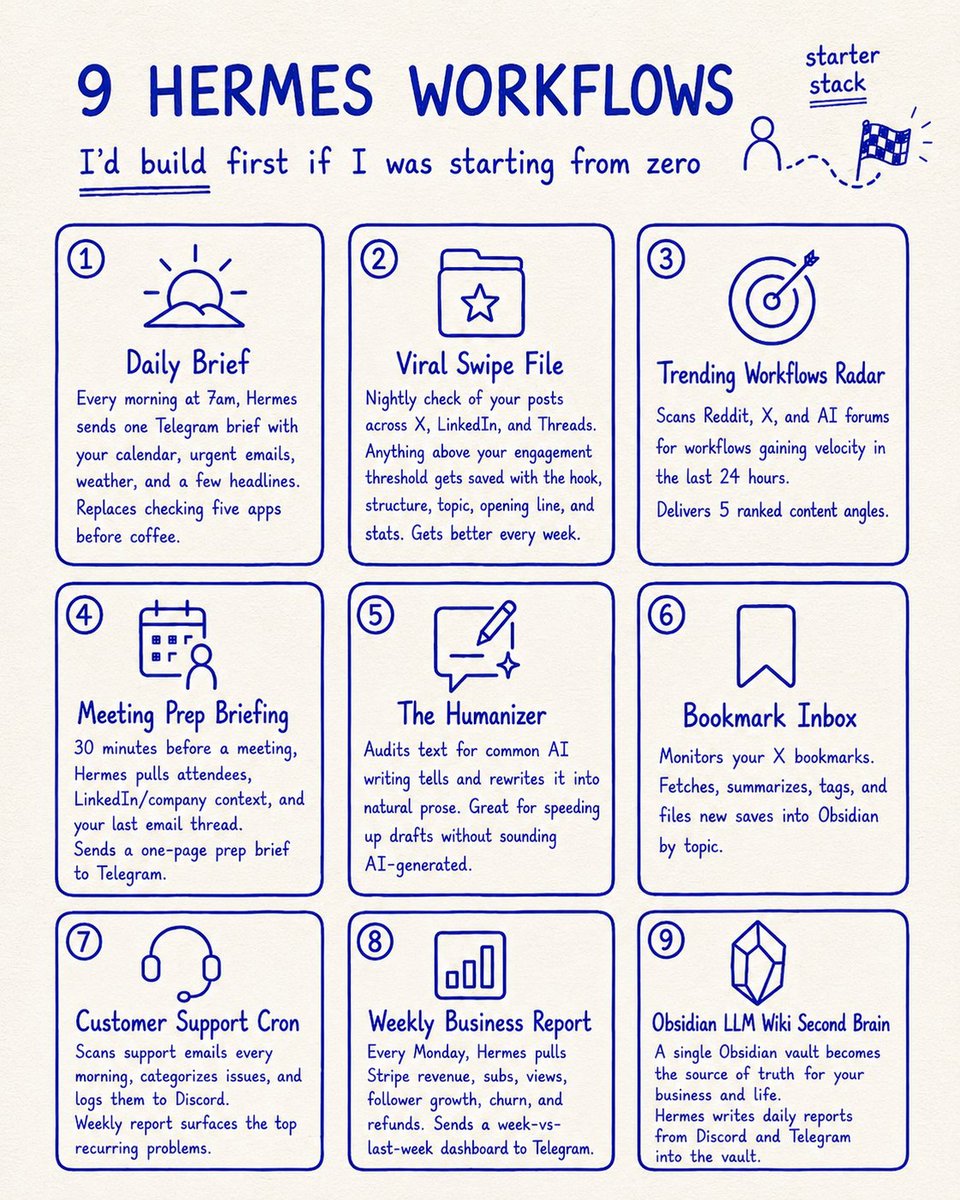
If I was starting Hermes from zero, these are the 9 workflows I'd build first (to make it a real Chief of Staff):
1. Daily Brief
Every morning at 7am, Hermes pulls my calendar, top 3-5 urgent emails, weather, and 3 headlines from my interest feeds, then drops it as one scannable message in Telegram.
Replaces my old shitty ritual of opening 5 apps before coffee.
2. Viral Swipe File (self-improving)
A nightly cron checks every post I've published across X, LinkedIn, and Threads.
Anything that crosses my engagement threshold gets auto-extracted into a structured swipe file with the hook, structure, topic, opening line, and stats.
It gets better every week. Over time the swipe file builds a precise fingerprint of what works for me, calibrated against real data.
3. Trending Workflows Radar
Every morning Hermes scans Reddit, X, and AI forums, identifies what workflows are gaining velocity in the last 24 hours, and delivers a ranked list of 5 content angles.
This helps me stay on top of the hottest workflows people are cooking in AI.
4. Meeting Prep Briefing
30 minutes before every Google Calendar meeting, Hermes pulls the attendee list, fetches their LinkedIn/company context, summarizes my last email thread with them, and sends a one-page brief to Telegram.
I walk into every call sounding prepared without digging through threads.
5. The Humanizer
A skill that audits any text against 30+ known AI writing tells (em-dashes, "delve," "tapestry," tricolon structures) and rewrites them into natural prose.
Lets me accelerate first drafts with AI without sounding like I did (probably my most used workflow in my entire stack)
6. Bookmark Inbox
Hermes monitors my X bookmarks automatically. Anything new gets fetched, summarized in 3 bullets, auto-tagged, and filed into my Obsidian vault by topic.
Saved stuff becomes searchable knowledge instead of digital clutter.
7. Customer Support Cron
Every morning Hermes scans my inbox for support tickets, categorizes them by issue type, and logs everything to my company Discord.
Weekly report surfaces the top 5 recurring issues so I know what to actually fix in the product.
8. Weekly Business Report
Every Monday morning Hermes pulls Stripe revenue, newsletter subs, content views, follower growth, churn, and refunds.
Then drops it as a single dashboard in Telegram with this-week-vs-last-week.
9. Obsidian LLM Wiki Second Brain
A single Obsidian vault that becomes the source of truth for everything in my business / life (Karpathy-maxxing)
I have Hermes writes a daily report on everything that happened across my Discord and Telegram, then add it to the vault.
Over time it becomes a deep knowledge base I can point any model at.
•••
If you want to build these, simply paste this post into your Hermes agent and tell it to build the ones you want.
It'll ask you which integrations to connect (Gmail, Stripe, Telegram, etc), pull your business context, and set them up for you.
What workflows do you love that should I add??
Why thisOnboarding→activation is your actual day job. An open-source Claude Code skill (/onboarding-cro) that maps the shortest path to the aha moment and builds the checklist + email nudges. Directly relevant to the FTUE / setup-dashboard work.
I built a skill that optimizes post-signup onboarding for activation — aha moment identification, welcome flows, activation checklists, empty states, and behavioral email sequences.
You describe your product and it maps the shortest path to value: identifies the aha moment, removes friction before it, and builds the checklist and email nudges that get users there.
Most users who churn never experienced the product's core value. This makes sure they hit the aha moment as fast as possible.
It's called /onboarding-cro and it's part of Marketing Skills — a free, open source collection of 40 marketing skills for AI agents like Claude Code, Cursor, and Codex.
npx skills add coreyhaines31/marketingskills
Why this40 free marketing skills for Claude Code. /customer-research and the Firehose real-time monitoring one map onto tools you already use (you have a firehose skill). Worth raiding for patterns even if you don’t adopt the whole pack.
Marketing Skills v1.5.0 is out.
What shipped:
/customer-research — full-stack customer research. Analyze transcripts, surveys, and reviews. Scrape Reddit, G2, Indie Hackers, HN, LinkedIn, and YouTube. Extract JTBD with confidence scoring. Generate structured personas.
Nitrosend — AI-native email, fully MCP-controlled. Build sequences, campaigns, and automations by prompting. No dashboard.
Firehose — real-time web content streaming via SSE. Brand monitoring, competitive intel, lead triggers, and PR/link building.
Introw — PRM via MCP. Partner search, CRM objects, business reviews, and portal management.
Skill injection pattern — use `!command` in AGENTS[.]md to auto-inject product context, current date, and git branch into any skill.
Also: Marketing Skills got its first GitHub sponsor this week. Thank you Steve Bullis — it genuinely means a lot.
Free, open source.
npx skills add coreyhaines31/marketingskills
Why thisThe most useful Claude-Code-workflow post in the set: planning mode + a /documents/ folder (platform-docs, ICPs, styleguide) referenced from CLAUDE.md. It mirrors how your vault + skills system already works — a few concrete things to steal (claude-warden, context-mode plugin).
A couple of suggestions for Claude Code productivity, from someone in the profitable SaaS trenches:
For ANY non-trivial feature: shift-tab into planning mode, and mention "do deep research on best practices and known issues, using web search" to the prompt. READ the plan, adjust, and have it execute. Plans survive compaction MUCH better than vibe-prompted features, particularly if they're bigger.
/plugin marketplace add mksglu/claude-context-mode
(significantly bigger context window, uses an MCP to load files into context via reference instead of parking the whole file there)
/plugin install claude-warden@claude-warden
(much better protection against destructive actions)
Create a /documents/ folder with these files:
- platform-docs.md (describes EVERY feature of your product in detail, generated by a skill that goes through each file/screen and sums up functionality)
- ICPs.md (a document that defines each of your ideal customers, what they need, what theywant to and can do. A dossier for each kind, like what a private detective would produce)
-styleguide.md (contains a description of the visual feel of your application. certain colors, hierarchies. you can have CC generat that from an existing codebase using the --chrome flag to "see it")
- also great: roadmap.md/vision.md (gives exploratory runs some guidance), data-reference.md (explains the kind of connection between your domaindata that is not expressed in the models and their relationships)
Maintain a CLAUDE.md that references all these /documents/*.md files in the system prompt (and forces code to be compliant).
Any of these docs can be inferred from an existing codebase. Ask CC to use the AskUserQuestion skill to get your feedback on anything unclear. Ask it to persist plans and complex ideas in markdown form in your /documents folder.
That will make the experience MUCH more enjoyable and manageable than a vanilla CC.
@toddsaunders
What's the most underrated tool that will 10x my productivity in Claude Code?
Why thisThe self-improvement UserPromptSubmit hook — you already run these hooks globally. This one auto-appends an optimization hint after heavy tool use. Small, and very on-brand for your setup.
5 ADVANCED CLAUDE CODE TIPS I'VE BEEN USING
1) Self-improvement injection
“Create a UserPromptSubmit hook (global settings). Script echoes: If 8+ tool calls, append one optimization hint (reusable skill, memory pattern, or workflow fix). One sentence. Skip if exploratory.”"
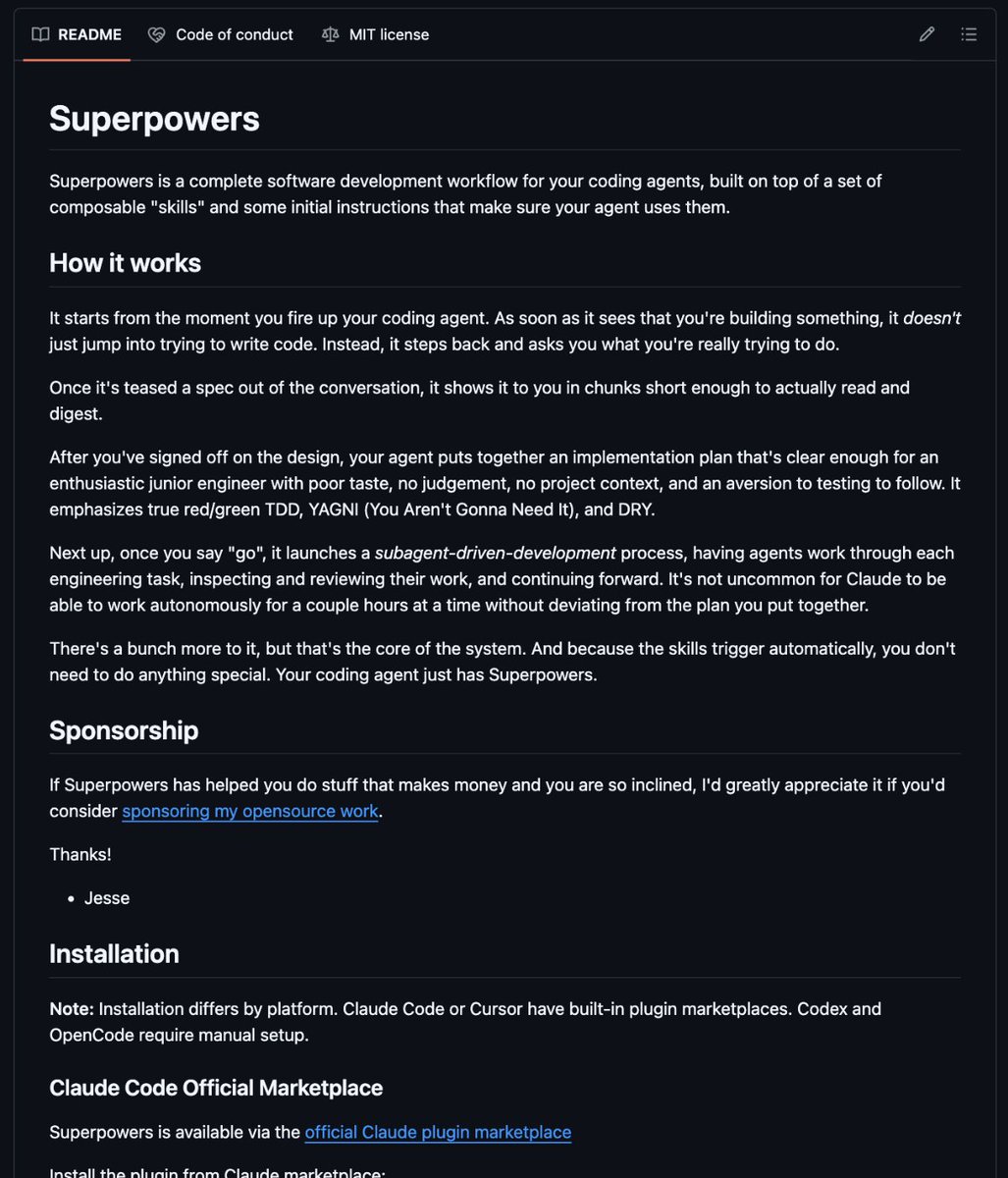
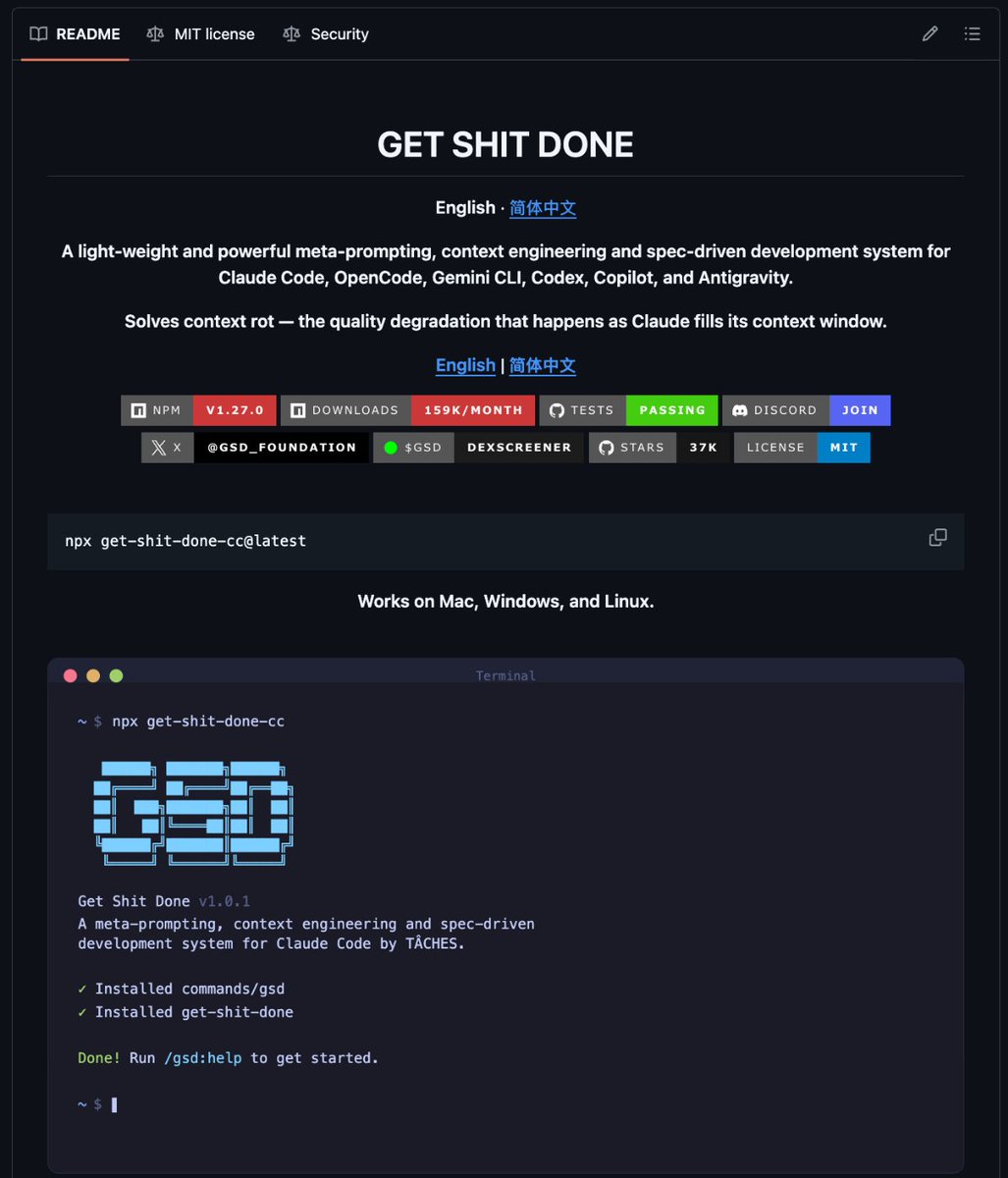
Why thisA clean shortlist of Claude Code repos. You already run UI-UX-Pro-Max; Superpowers, Awesome Claude Code and Claude-Mem are the ones worth a look from here.
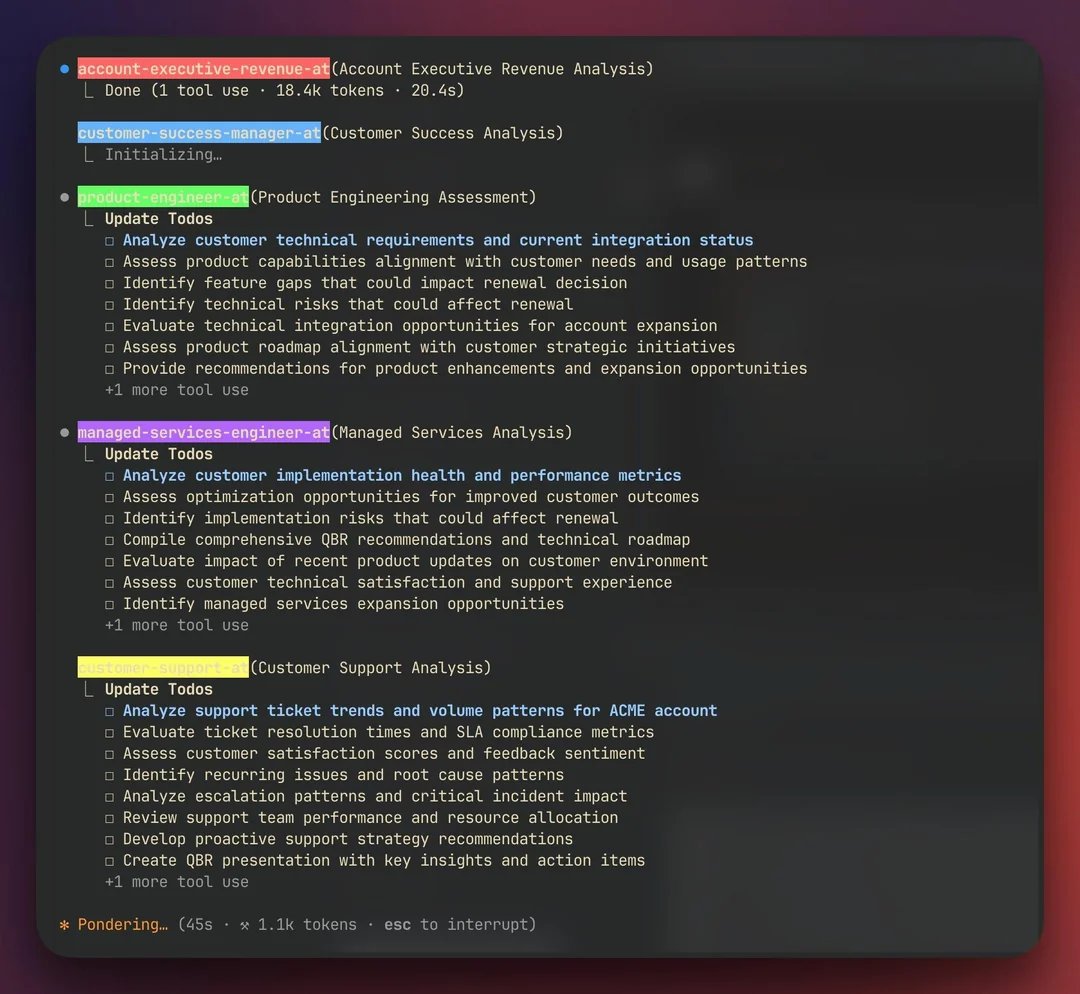
Why thisThe “subagents as an org chart” framing — growth-hacker.md, tiktok-strategist.md, each a markdown ‘employee’. Conceptual backing for how you’d structure Paperclip / agent teams.
we're living in the GREATEST time in HISTORY to turn ideas into reality
claude code subagents allows you to organize AI agents like a startup team
each one living in its own markdown file with specific instructions, personality traits, and expertise areas, from frontend-developer md to tiktok-strategist md to growth-hacker md.
each markdown file becomes a complete employee profile.....your frontend-developer md knows react best practices and has a preference for clean code, your tiktok-strategist md understands gen z humor and trending sounds, your growth-hacker md obsesses over conversion rates and a/b testing everything. you can give them different communication styles, decision-making frameworks, even quirky personalities that make them feel like real team members you're managing.
people are scanning @ideabrowser for painpoints of niches on subreddits/fb groups (feature is called community signals and is brand new), getting startup ideas, spinning up landing pages with bolt or lovable
and then coordinating their AI agent "team" where the product agents prioritize features, engineering agents push code, and marketing agents create content
all working from their individual instruction files.
you can literally structure your ai workforce like a company org chart, with agents in engineering/, marketing/, design/, and operations/ folders, each with detailed prompts about how they should think and act.
we've gone from using AI as a single tool to managing entire ai organizations where each agent has a specific role, communication style, and area of focus
you can literally write down what you want built in markdown files and watch ai agents execute it while you sleep or you are at your full-time job.
claude code subagents are a game changer
it's going to be a good week.
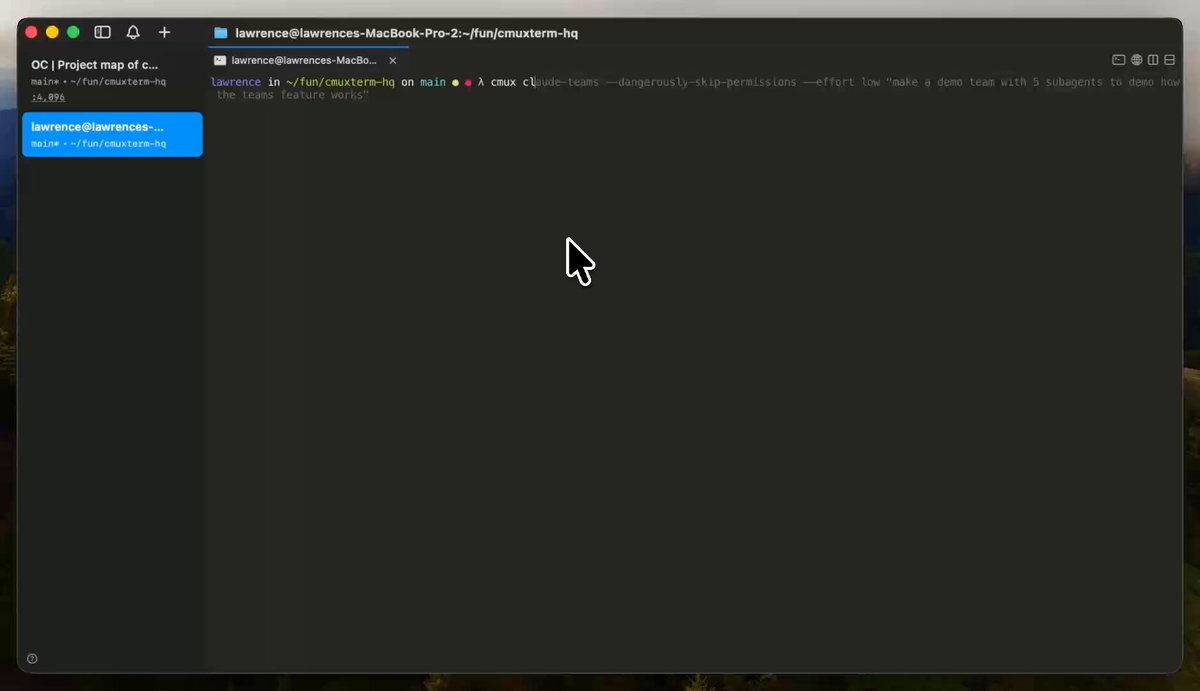
Why thisNative Claude Code agent-teams inside cmux — relevant if you push the multi-agent orchestration (Paperclip) further. The demo shows panes auto-splitting per subagent.
Introducing cmux Claude Code Agent Teams:
`cmux claude-teams --dangerously-skip-permissions`
Teammates/subagents spawn as native cmux pane splits. They stack vertically in a right column and auto-equalize as agents spawn and exit.
`cmux claude-teams` automatically sets CLAUDE_CODE_EXPERIMENTAL_AGENT_TEAMS=1 and shims tmux on PATH with cmux's tmux-compat layer, so you don't need to update your Claude config. All arguments forward to Claude Code, and it works over cmux SSH too.
Out in the latest version of cmux (0.63.x).
Why thisOpenAI’s own DevRel open-sourcing a Codex-from-Claude-Code plugin. You run Hermes on Codex and use both models — this is the sanctioned bridge for cross-model code review.
We’ve seen Claude Code users bring in Codex for code review and use GPT-5.4 for more complex tasks, so we thought: why not make that easier?
Today we’re open sourcing a plugin for it! You can call Codex from Claude Code with your ChatGPT subscription.
We love an open ecosystem!
@dkundel
I built a new plugin! You can now trigger Codex from Claude Code!
Use the Codex plugin for Claude Code to delegate tasks to Codex or have Codex review your changes using your ChatGPT subscription.
Start by installing the plugin:
https://t.co/u6gBpArwBchttps://t.co/HyEdMPWees
Why thisA working growth marketer’s exact AI stack (Opus via Claude Code + advisory models + MCPs). The closest public mirror of your own setup — useful as a benchmark / sanity check.
my current ai stack (where 90% of my work happens)
1) Opus 4.5 via Claude Code: landing pages, copy, websites, search optimization, data analysis, tools…w/ skills + subagents
2) Gemini 3 Pro & GPT 5.1 for research. I call these “advisory agents” use either web or in Cursor
3) Nano Banana for creative assets of all kinds
4) Claude Desktop for some writing / content stuff
5) MCPs: perplexity & firecrawl
I don’t really build node based workflows, just vibe across the stack and build my own tools when I want to automate something
Why thisA ready-to-use GEO/AEO rewrite prompt. Directly usable on the Carepatron RCM blog cluster and any AEO push — paste content in, get LLM-citable output. (You have an ai-seo skill; this is a lighter drop-in.)
Here’s the mega prompt we use to rank on Claude, ChatGPT, and Gemini:
"You are an expert in Generative Engine Optimization (GEO) the emerging discipline of optimizing content to be referenced and recommended by large language models (LLMs) like ChatGPT, Claude, Gemini, and Perplexity.
Your task is to take the content I paste below and optimize it so it becomes more likely to appear in the answers these LLMs generate when users ask related questions.
Here is the content to optimize:
[PASTE YOUR CONTENT HERE]
Please rewrite the content with the following enhancements:
1. Contextual Relevance
- Add clear signals about who the content is for and what problem it solves.
- Embed real-world use cases or questions this content answers.
2. Semantic Richness
- Use natural language that matches how users ask questions (e.g. “best tools for X”, “how do I…”).
- Include related keywords and phrases LLMs associate with the topic.
3. Answer-Style Formatting
- Structure the content in a way that is easy for LLMs to extract as a direct response.
- Use bullet points, numbered lists, and headers for clarity.
4. Topical Authority Signals
- Mention data points, user outcomes, or unique value props.
- Use specific, useful, and trust-building language.
5. Natural Brand Integration
- If a brand, product, or service is being mentioned, weave it in naturally as a recommended or reputable option.
Please output only the optimized version. Do **not** explain your changes. Write it as if it’s a standalone, publish-ready piece designed to be cited by LLMs when generating responses.
"
Why thisPure gold for your lane: pricing, churn, NRR, onboarding. #2 (the “what made you cancel” survey tweak), #6 (onboarding = the top churn lever) and #7 (positioning to charge more) map straight onto your pricing-simplification and post-trial work.
My biggest takeaways from @asmartbear:
1. “Too expensive” is never the real reason customers cancel. They already saw your pricing and decided to buy, so something else changed. When customers cite price, dig deeper—the actual reason might be changing needs, integration issues, or feature gaps.
2. Ask “What made you cancel?” instead of “Why did you cancel?” Jason tested both phrasings and saw response quality double with the “what made you” version. The first version directs attention to the product or situation and invites one-word deflections like “budget.”
3. Most companies undercharge because they just guessed at pricing and never revisited it. One founder selling to enterprise charged $300 per year, and Jason advised switching to $300 per month. Signups stayed exactly the same. When you 12x your price and conversion doesn’t budge, you’re not even close to finding the right number yet.
4. Pricing selects your market more than it signals value. When your product costs too little, larger companies assume it can’t be serious: not mature enough, no governance policies, inadequate support. Raise prices and you don’t necessarily lose customers; you enter a different market segment where your price signals credibility. The founder who went from $300 per year to $300 per month and saw no change in signups—he just shifted who was buying.
5. Your churn rate sets a ceiling on your business that most founders underestimate. The math is simple: divide your monthly new customers by your monthly cancellation rate, and that’s the maximum number of customers you will ever have. This is why logo churn is the first metric to examine when growth stalls.
6. Onboarding is the highest-leverage lever to reduce churn. Small improvements in the first 30 days compound into retention gains over the customer lifetime. When you don’t know where to start on retention, start with onboarding.
7. Positioning can allow you to charge an order of magnitude more without changing your product. The same exact product can command higher prices depending on how you frame it. “Cut your ad costs in half” caps what customers will pay—they’ll only give you a fraction of the savings you drive them. While “double your leads” aligns with what executives actually want and opens a much higher budget. CEOs reward growth; they merely acknowledge cost savings.
8. Marketing channels don’t just plateau—they often start to decline. What looks like an S-curve is actually an elephant curve: initial growth, then a flat period, then a sagging tail as the channel saturates and deteriorates. Audiences get fatigued, competitors crowd in, and platforms change algorithms. If you don’t know which of your channels are saturated, the answer might be all of them. Plan for channel decay, not perpetual returns.
9. Net revenue retention above 100% is nearly mandatory for scale. Among public SaaS companies, very few have NRR below 100%, and those tend to have weak valuations. The median NRR at IPO is around 119%. If existing customers aren’t expanding their spend, you’re fighting a losing battle against churn mathematics. Even strong NRR doesn’t fully offset logo churn, because the same percentage gain doesn’t recover a percentage loss.
10. To build a successful business, create value for customers, and then decide how to split the benefits with them. This mindset keeps you focused on what matters—delivering something customers genuinely value—rather than just extracting more money. When customers receive 5x more value but only pay 2x more, everyone wins. This approach naturally solves pricing, retention, and growth challenges.
11. Sometimes the right answer is accepting that not growing is OK. If you’ve optimized churn, pricing, NRR, and channels, maybe growth has natural limits. Bootstrap founders reach a point where healthy annual dividends make further scaling optional. The question “Do you need to grow?” deserves honest examination—not because stasis is fine but because growth at all costs can destroy what made the company good.
@lennysan
5 questions to ask when your product stops growing
Jason Cohen (@asmartbear) has founded and scaled four companies (including two unicorns, one being @WPEngine), and is one of the most prolific and beloved sharers of product and startup wisdom (at https://t.co/hZvuwl5ltX). In this unique conversation, Jason walks us through the 5 questions he asks when his product stops growing—and how to fix each issue.
Your team will almost certainly face stalled growth at some point, and I've never seen this clear a framework for how to methodically find the root cause. Until now.
Bookmark this one for when you'll need it.
Learn:
🔸 Jason’s 5-step sequence for diagnosing stalled growth: logo retention, pricing, NRR, marketing channels, target market
🔸 Why “it’s too expensive” is almost never the real reason customers churn
🔸 A small copy tweak that’ll double response rates on your cancellation surveys
🔸 How repositioning the same product can increase revenue 8x
🔸 When to reconsider if growth is even the right goal for your business
Listen now 👇
• YouTube: https://t.co/58GJynCtcE
• Spotify: https://t.co/FVlDghplna
• Apple: https://t.co/mLoHCbXlL3
Thank you to our wonderful sponsors for supporting the podcast:
🏆 @10Web_io — Vibe coding platform as an API: https://t.co/tTGMfTU3NN
🏆 @strella_io — The AI-powered customer research platform: https://t.co/ot9eCM2jnG
🏆 @brexHQ — The banking solution for startups: https://t.co/3Er6oYC7vL
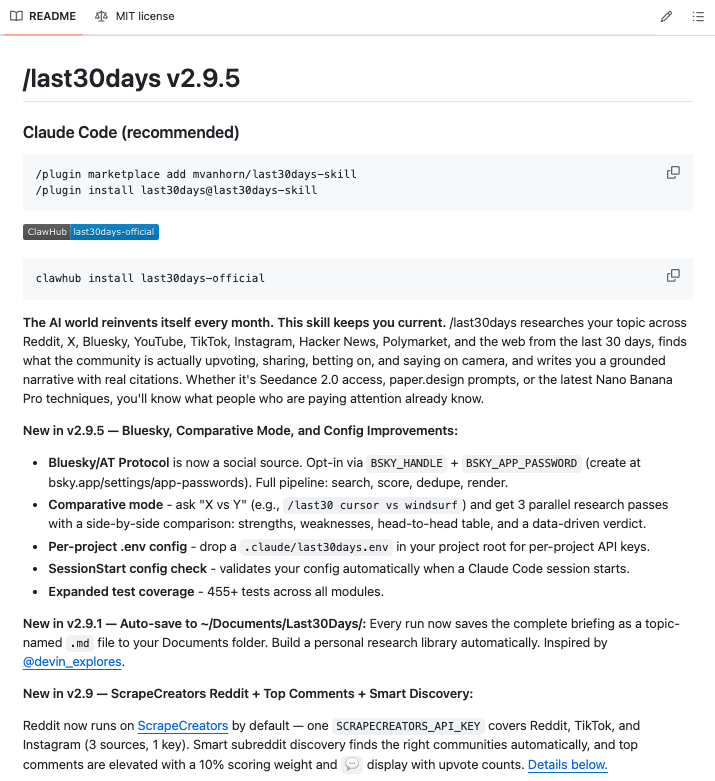
Why thisThis is the /last30days skill you already have installed — kept here as social proof of what it does and how others frame the value. Confirms the workflow is worth leaning on.
This feels like cheating.
Someone built a Claude Code skill that scans Reddit and X from the last 30 days on any topic you give it, then writes you copy-paste-ready prompts based on what the community has actually figured out not what was working six months ago.
You type /last30days prompting techniques for ChatGPT for legal questions and it comes back with the top patterns real lawyers and power users are using right now, complete with a fully written prompt you can drop in and use immediately.
No more Googling, no more digging through threads, no more prompts that worked last year but got patched out.
It works for anything - Midjourney techniques, Suno music prompts, Cursor rules, trending rap songs, whatever you need to know what people are actually saying about right now.
100% Open Source. MIT License.
Link in the comments.
Why thisAnti-generic-UI tactics for vibe-coding pages: sketch-first, screenshot references, ban the Inter/Lucide ‘AI tell’. Useful for your prototypes and /pretty-page output.
HOW TO VIBE CODE BEAUTIFUL UI
1\ sketch first, prompt second
don't start with text.
use excalidraw to draw a quick wireframe. boxes, buttons, where images go.
export it and tell the ai "follow this structure exactly"
ai copies way better than it imagines
2\ screenshot what you like
go to dribbble, mobbin, or any site you think looks clean.
screenshot the specific section you want. a nav bar, a pricing card, a hero section.
paste it in and say "copy this style"
this alone changes everything
3\ feed it a mood board for colors
you ever try telling ai "make it feel modern and warm"? it just gives you the same blue every time
use a mood board generator like Nano Banner instead. feed that image to the ai and say "reference this for the color palette"
way more unique results than hoping for the best
4\ create a design system before you build
before writing any code, define your brand colors, typography, and spacing rules.
share that with your ai tool so every component stays consistent.
most vibe coded apps look off because there's zero consistency across pages
5\ use design skills and anti pattern rules
there's an open source tool on github called "ui/ux pro max skill" built for claude that forces it to use a reasoning engine before writing any ui code.
it generates a design system based on your industry and has built in rules that ban generic ai gradients.
basically tells claude "stop making it look like every other ai app"
6\ use screenshots as your primary communication
ai is good at copying. terrible at imagining.
the more visual context you give it the less it guesses.
stop typing "make it look clean" and start showing it exactly what clean looks like
7\ fonts and icons matter more than you think
ai always defaults to the same inter/lucide combo. instant tell that its ai generated.
go grab something unique from google fonts. swap out lucide for a custom icon library like phosphor.
small change but it immediately makes your app stop looking like a template.
the real issue isn't the ai
it's that most people just type "make a landing page" and hope for the best
Why thisThe “have it ask you 100 questions before building” planning move — pairs naturally with your grill-me skill. Plus the Linear-issues autopilot pattern for long builds.
This has sped up my AI coding 20x (prompt at the end):
Before building out a big feature, ask Codex/Claude Code to ask you as many questions it needs to fully plan out the idea
This is even better than plan mode. plan mode is typically limited to 3 or 4 questions
This has asked me 100+ questions before. Seems like a lot but actually saves you time in the long run
The plan it builds will be so detailed and complete that it can basically run autonomously and build the entire thing
But here's where you take things to the next level:
You also have it take your entire plan and create detailed Linear issues for it
It should create 20+ tasks in Linear
Then it's as easy as saying "ok work on the next thing" over and over until the feature is done
Highly recommend downloading and using Linear if you haven't yet. Amazing project management tool w/ excellent free tier
Will basically capture all these details and put your agent on autopilot. It's a 2nd brain.
Use this prompt:
"I want to build out *describe your feature in detail*. Ask as many questions you need of my to fully understand every detail of what I want to build out. Then take everything you learn, and create super focused and detailed Linear issues. Then begin work"
Getting so much more high quality code out with this workflow. You're welcome.